Start with the promise.
Turn the original request into explicit requirements. Keep the difficult ones. A requirement without a check stays unverified.
“A booking is saved on the server.”Verify what your AI agent built.
Run browser checks. Keep the evidence.
Connect through your host’s local MCP settings. Setup and permissions vary by host.
Our demo booking page says “confirmed.” Its server says otherwise. Follow the evidence and see why a green toast can’t finish the story.
Illustrated from the included broken fixture. This website isn’t submitting a booking or running a live test.
The success message appears after clicking “Book.” OpenProof can verify that observation. It still needs evidence for what happened behind it.
{
  "type": "visible",
  "target": { "testId": "confirmation" }
}A useful report tells you where the evidence ends. Every requirement stays visible—even the ones your agent couldn’t check.
The mapped assertions succeeded.
You can inspect exactly what they checked.
The observed behavior didn’t match.
Now your agent has a specific problem to fix.
Missing checks or unavailable evidence.
Incomplete stays incomplete.
Your agent writes the checks. OpenProof runs them in a browser. You get an evidence trail for the next decision.
Turn the original request into explicit requirements. Keep the difficult ones. A requirement without a check stays unverified.
“A booking is saved on the server.”Run real interactions in isolated Chromium sessions. Check visible behavior, URLs, responses, and specific API values.
Expected HTTP 201. Observed HTTP 503.Give your agent the failure details. Fix the app, rerun the same plan, and preserve both runs. The goalposts stay put.
One requirement. Every run. A clear history.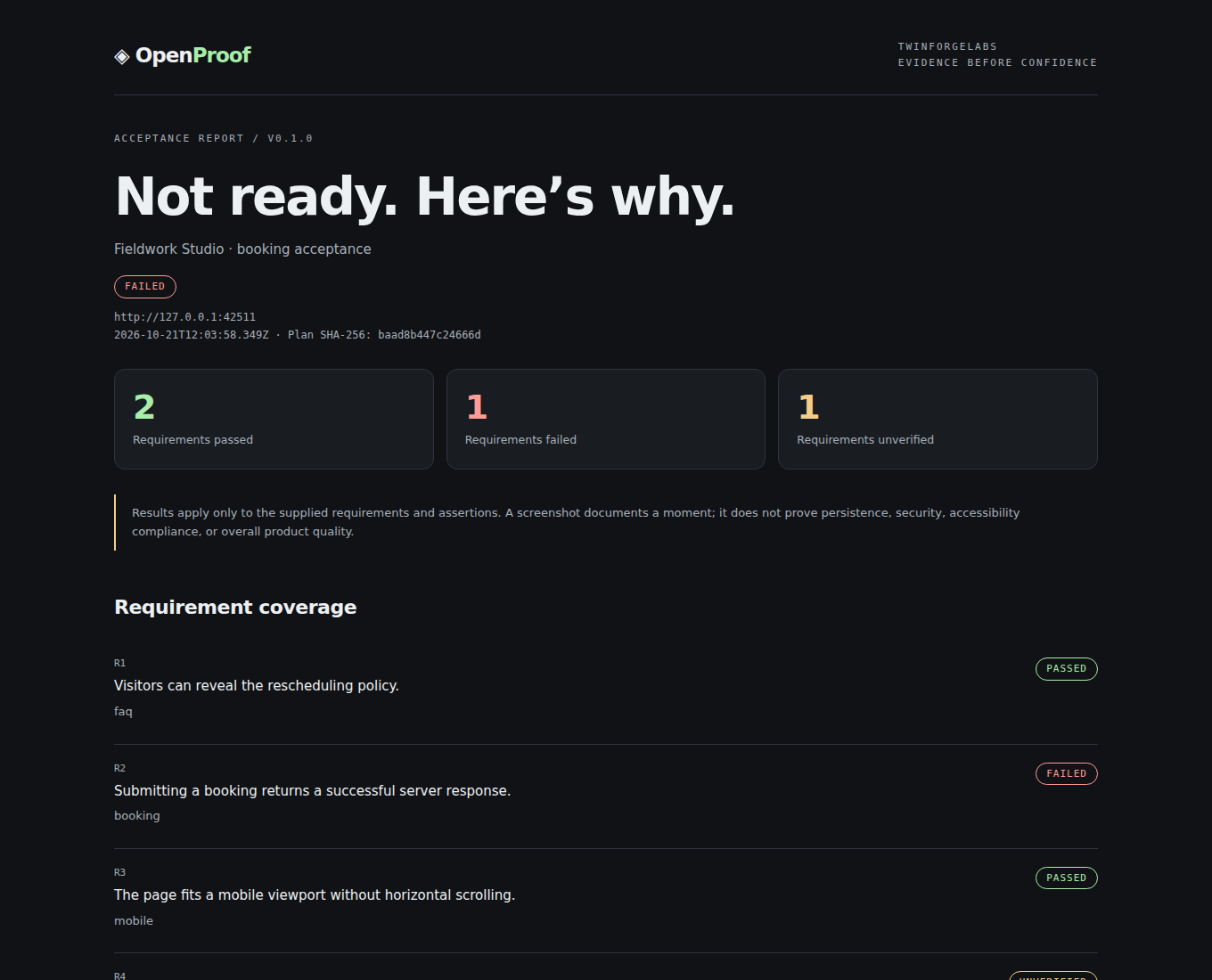
A clear HTML report, screenshots, and reproduction details.
JSON observations and a compact Markdown handoff.
Separate evidence folders for each run. Optional traces when you need them.
Your agent translates your requirements into a structured plan. OpenProof executes the supported steps and assertions. It does not infer a complete test suite from a URL. The quality of the plan still matters.
OpenProof exposes a local stdio MCP server. MCP-capable hosts can launch it using the documented command and environment settings. The MCP protocol is tested; setup, permissions, and skill discovery vary across Claude Code, Codex, Cursor, Antigravity, and other hosts.
A UI message or successful HTTP response proves only that observation. Persistence needs an appropriate independent read or reload with a specific expected value. Email delivery needs inbox evidence. Keep those requirements unverified until you have that proof.
Into a local output folder you control. OpenProof adds no report upload, telemetry, or model calls. Screenshots, logs, and opt-in traces may contain application data, so review them before sharing.
Browser write requests are blocked by default. For authorized test environments, enable the CLI’s --allow-writes flag or configure OPENPROOF_ALLOW_WRITES=1 in your MCP server. Additional API origins must be explicitly allowed.
OpenProof v0.1 is a developer preview focused on web app acceptance checks. It includes browser assertions, reports, and MCP integration. Visual diffs, accessibility audits, test inboxes, imported login sessions, and an autonomous repair loop are not included.